
What are Tomaru's adventures, Wardrobe and appearance settings?
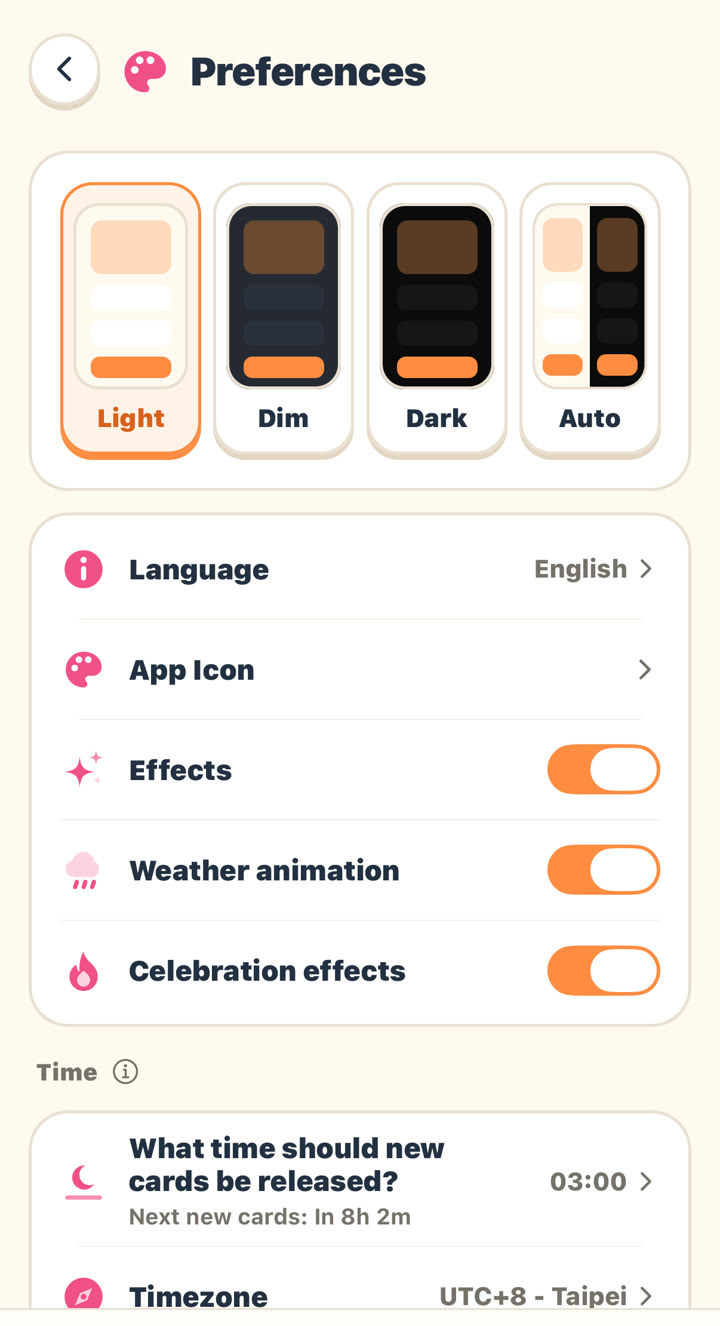
Tomaru turns vocabulary study into an adventure: Home shows your current adventure location, you pick a quest each day, and studying at that location earns you collectible looks, which you can equip in the "Wardrobe" (sets, buttons, progress bars, card faces, backgrounds, card flip effects, completion animations and weather). You can also choose a Light, Dim, Dark or Auto appearance, change the app icon, and turn effects on or off.
යාවත්කාලීන කළේ
Key points
- Tomaru's Home background is your current adventure location; each location is open for a limited time, and Home shows today's quest.
- Tomaru gives you collectible looks for studying at an adventure location; the "Adventure log" tracks your collection progress for each location, collecting all three earns you a study background, and anything you haven't collected when a location ends becomes retired.
- Tomaru's "Wardrobe" lets you equip the sets, buttons, progress bars, card faces, backgrounds, card flip effects, midway events, completion animations and weather you've collected, and preview them first on a sample card.
- Tomaru members can use every item in the collection, including retired looks.
- In Tomaru's "Me" → "Preferences," you can choose the appearance (Light, Dim, Dark, Auto), change the App Icon, and turn Effects, Weather animation and Celebration effects on or off; effects turn off automatically when Reduce Motion is on for your phone.
- Tomaru's adventures, Wardrobe and appearance settings only change how the app looks and never affect your review schedule.
Where to find them
- Wardrobe: the clothing icon on the right side of Home, or "Wardrobe" in the study settings.
- Adventure log: the map icon on the right side of Home.
- Appearance and App Icon: "Me" → "Preferences."
Related questions
Do Wardrobe looks affect my studying?
No. Looks only change what you see and how the buttons feel; your review schedule and history stay the same.
Can I still get looks from an adventure location I missed?
Looks you didn't finish collecting before a location ended become retired; members can use every item in the collection, including retired looks.
Can I turn the effects off?
Yes. Go to "Me" → "Preferences" and turn off "Effects," or turn off just "Weather animation" or "Celebration effects."
තවමත් පිළිතුර හමු නොවුණාද?
ලිපිවලින් ආවරණය නොවුණු ඕනෑම දෙයක් ගැන අපට ඊමේල් කරන්න. තිරපිටපත් එක් කළොත් උදව් වේ.