
How do I change how Tomaru flashcards look and sound?
In Tomaru, "Card look" lets you adjust the text size, what appears on the card, which side the image goes on, the back-side layout, and the flip direction, while "Sounds" lets you choose the voice, when it reads, how many times auto-read repeats, and how example sentences play. Tap the card in Study settings to preview changes instantly, and it's all free.
آخر تحديث
Key points
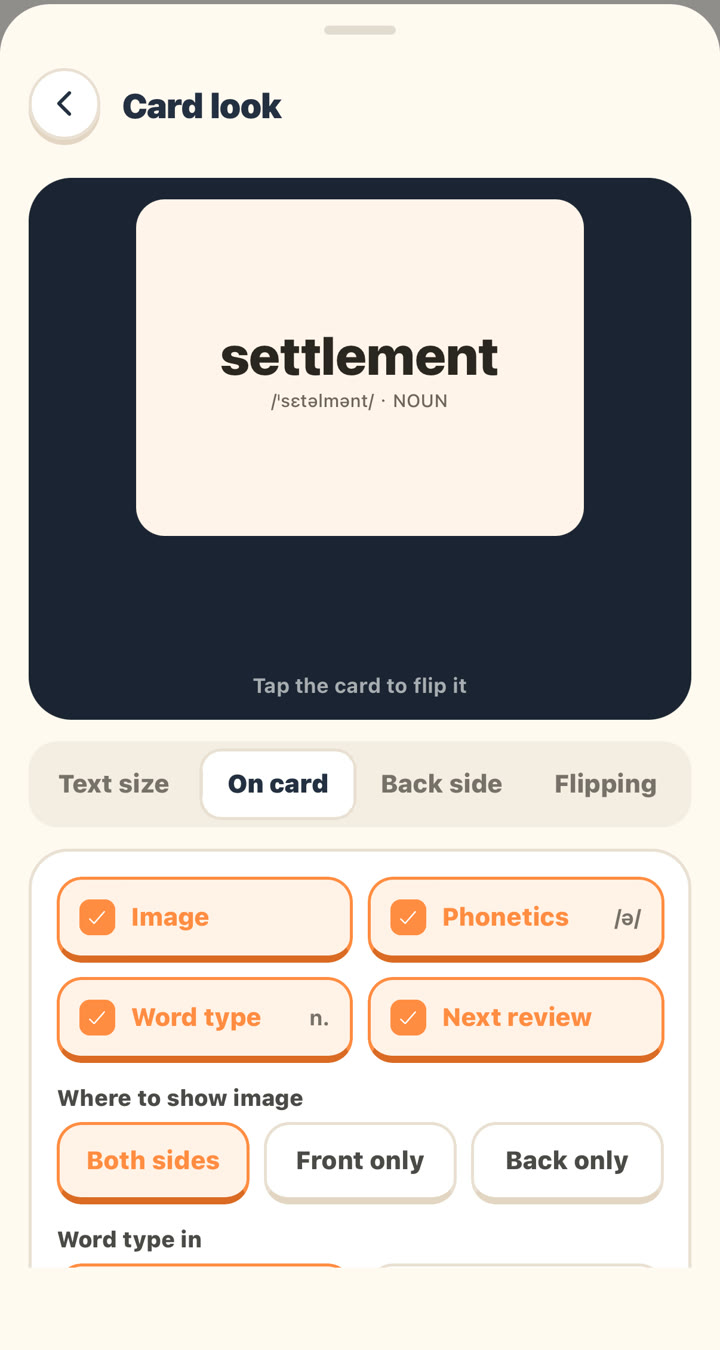
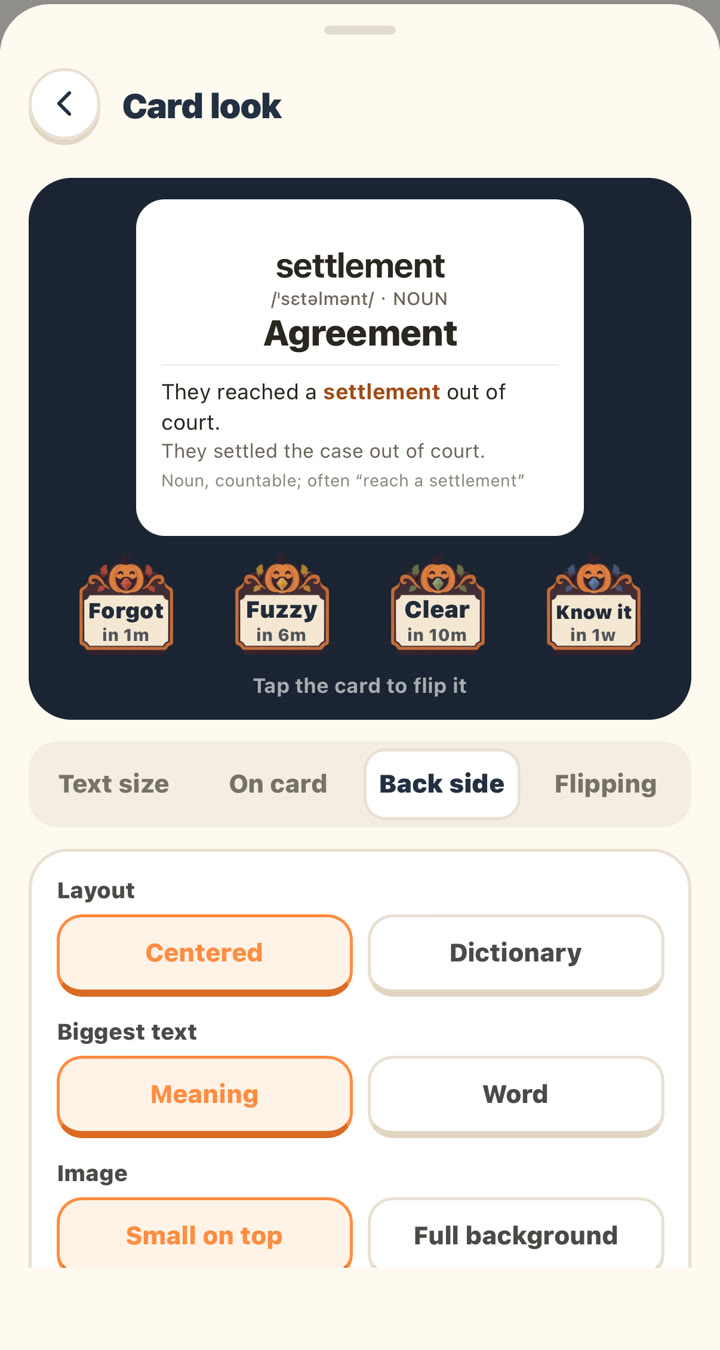
- Tomaru's "Card look" has four tabs (Text size, On card, Back side, and Flipping), and the preview card at the top updates as you make changes; tap it to flip.
- Tomaru lets you resize the whole card (5 sizes) or just the example sentence, translation, and notes (80%–160%).
- Tomaru can show the image on both sides, the front only, or the back only; on the back, the image can be small on top or a full background.
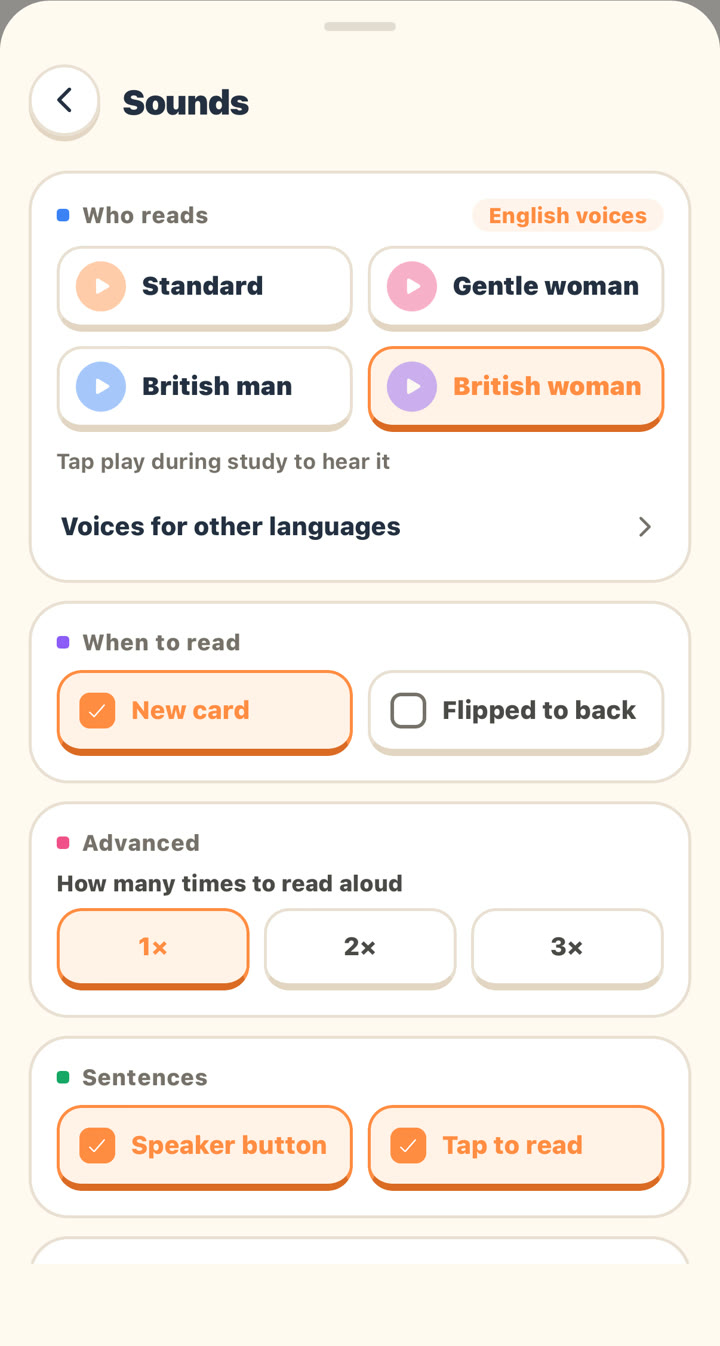
- Tomaru offers four English voices (Standard, Gentle woman, British man, and British woman), and Japanese and Korean each have a second voice.
- Tomaru's auto-read can play when a new card appears or when you flip to the back, and it can repeat 1, 2, or 3 times.
Where to find it
"Me" → "Study," or the gear icon at the top right while you're studying → "Card look" or "Sounds."
Card look
| Tab | Options | Default |
|---|---|---|
| Text size | Whole card (5 sizes, small to big); Example, Translation, and Notes each 80%–160% | Middle; 100% |
| On card | Toggles for Image, Phonetics, Word type, and Next review (the next review time shown on the rating buttons) | All on |
| On card | Where to show image: Both sides / Front only / Back only | Both sides |
| On card | Word type in: English (NOUN) / My language | English |
| Back side | Layout: Centered / Dictionary | Centered |
| Back side | Biggest text: Meaning / Word | Meaning |
| Back side | Image: Small on top / Full background | Small on top |
| Flipping | Flip direction: Sideways / Up and down | Sideways |
| Flipping | Buttons on front: the four rating buttons appear on the front, no flip needed | Off |
Sounds
| Setting | Options | Default |
|---|---|---|
| Who reads (English) | Standard, Gentle woman, British man, British woman | Standard |
| Who reads (Japanese) | Standard, Man | Standard |
| Who reads (Korean) | Standard, Woman | Standard |
| Who reads (Chinese, French, German, Spanish) | Standard | Standard |
| When to read | New card, Flipped to back | New card |
| How many times to read aloud | 1×, 2×, 3× (tapping the speaker yourself plays it once) | 1× |
| Sentences | Speaker button, Tap to read | — |
| When you tap buttons | Button sounds, Volume, Change (each button's own sound and volume) | Members only |
Tap a voice name to hear a sample first. Pronunciation uses AI voices, not your phone's built-in text-to-speech.
Related questions
Can I make the text on flashcards bigger?
Yes. In "Card look" → "Text size," you can enlarge the whole card, or just the example sentence, translation, or notes.
Can I show images only on the back of the card?
Yes. Go to "Card look" → "On card" → "Where to show image" and choose "Back only," so the front doesn't give you a picture hint.
Can I get a British accent for English audio?
Yes. In "Sounds" → "Who reads," choose "British man" or "British woman."
Can each word be read aloud twice automatically?
Yes. In "Sounds" → "Advanced" → "How many times to read aloud," choose 2× or 3×.
ما زلت لا تجد الإجابة؟
راسلنا عن أي شيء لم تتناوله المقالات. تساعدنا لقطات الشاشة.