
How do I change how Tomaru flashcards look and sound?
In Tomaru, "Card look" lets you adjust the text size, what appears on the card, which side the image goes on, the back-side layout, and the flip direction, while "Sounds" lets you choose the voice, when it reads, how many times auto-read repeats, and how example sentences play. Tap the card in Study settings to preview changes instantly, and it's all free.
Cập nhật
Key points
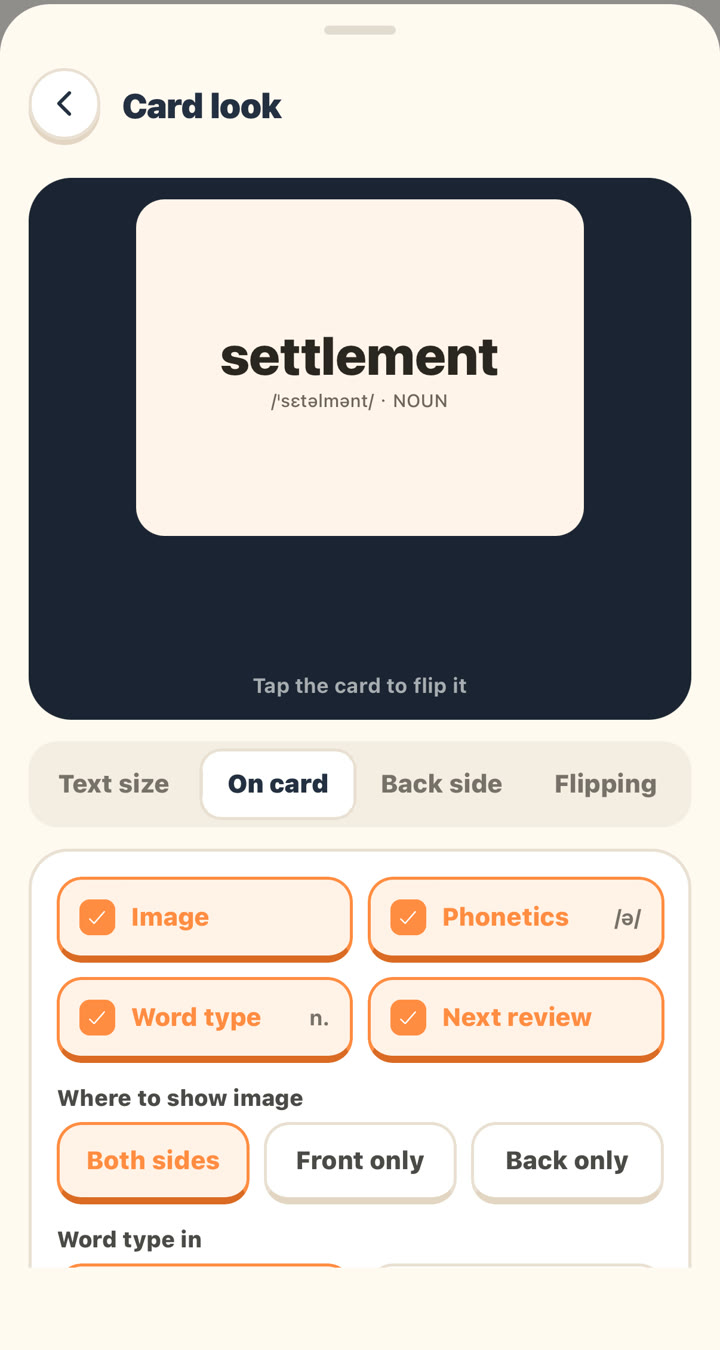
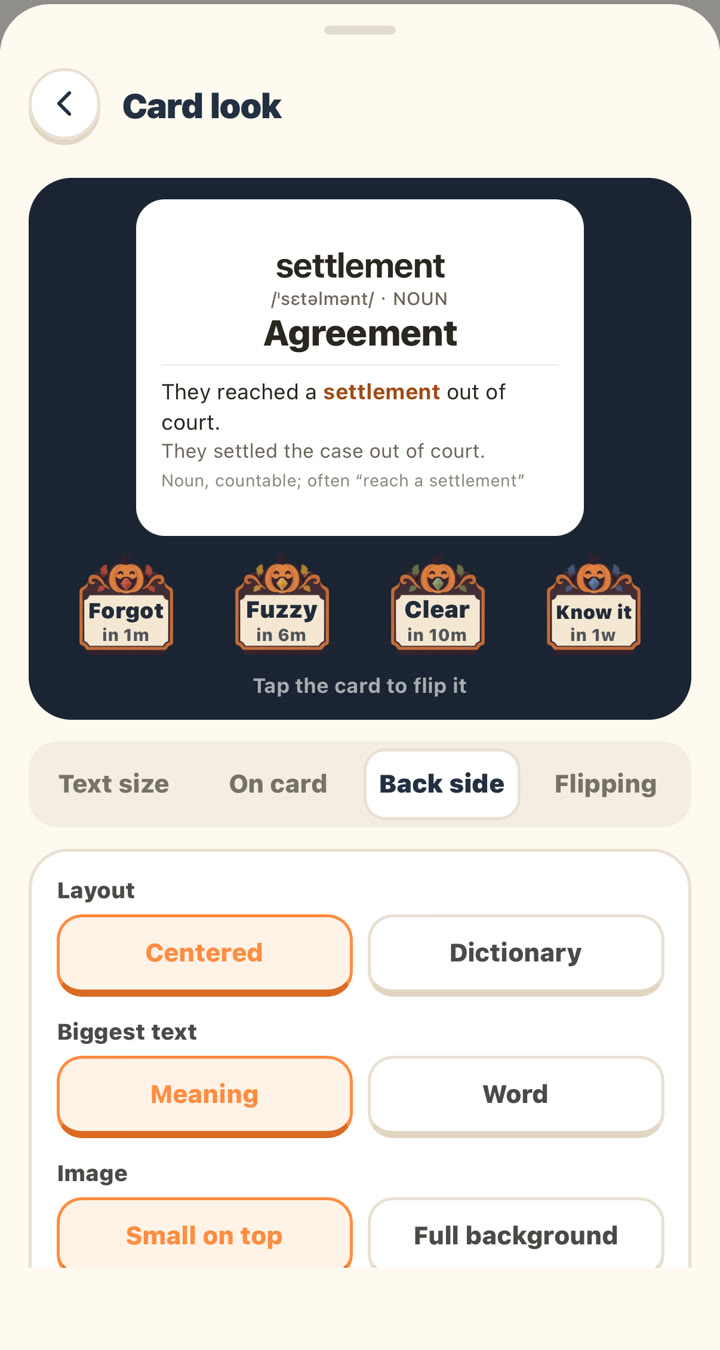
- Tomaru's "Card look" has four tabs (Text size, On card, Back side, and Flipping), and the preview card at the top updates as you make changes; tap it to flip.
- Tomaru lets you resize the whole card (5 sizes) or just the example sentence, translation, and notes (80%–160%).
- Tomaru can show the image on both sides, the front only, or the back only; on the back, the image can be small on top or a full background.
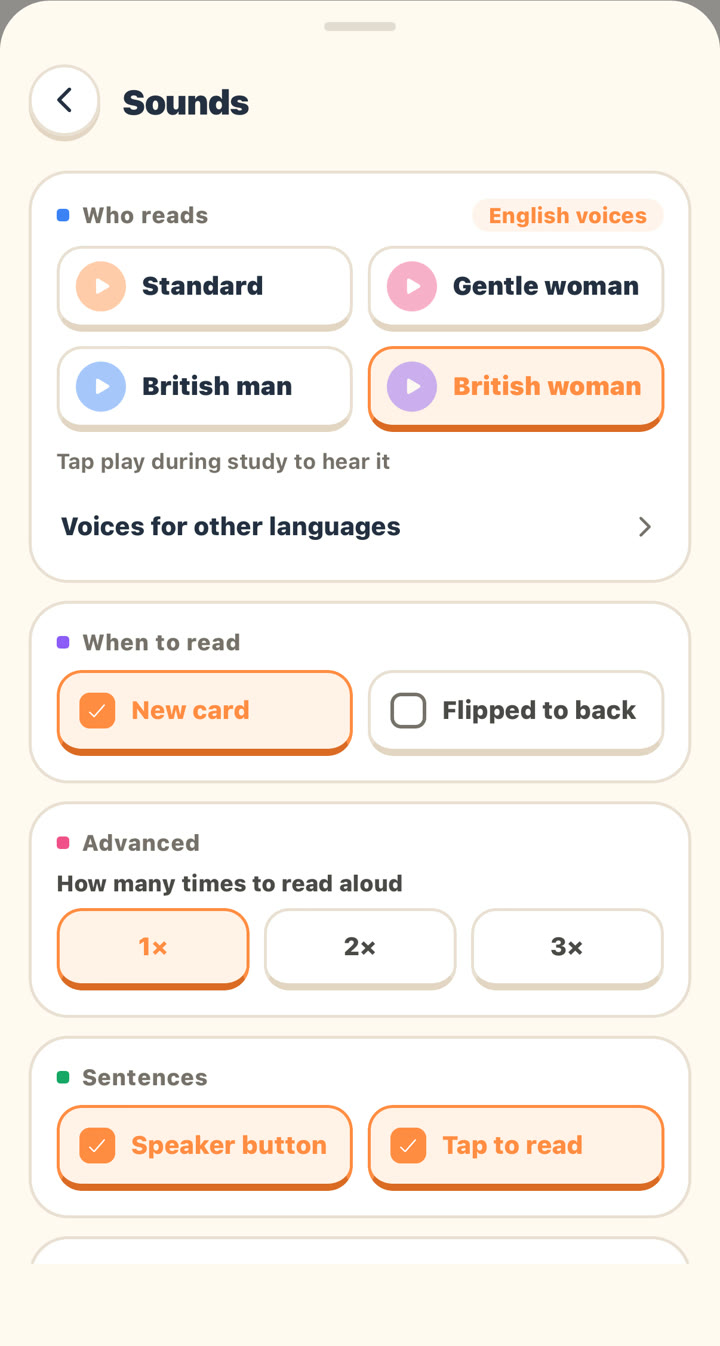
- Tomaru offers four English voices (Standard, Gentle woman, British man, and British woman), and Japanese and Korean each have a second voice.
- Tomaru's auto-read can play when a new card appears or when you flip to the back, and it can repeat 1, 2, or 3 times.
Where to find it
"Me" → "Study," or the gear icon at the top right while you're studying → "Card look" or "Sounds."
Card look
| Tab | Options | Default |
|---|---|---|
| Text size | Whole card (5 sizes, small to big); Example, Translation, and Notes each 80%–160% | Middle; 100% |
| On card | Toggles for Image, Phonetics, Word type, and Next review (the next review time shown on the rating buttons) | All on |
| On card | Where to show image: Both sides / Front only / Back only | Both sides |
| On card | Word type in: English (NOUN) / My language | English |
| Back side | Layout: Centered / Dictionary | Centered |
| Back side | Biggest text: Meaning / Word | Meaning |
| Back side | Image: Small on top / Full background | Small on top |
| Flipping | Flip direction: Sideways / Up and down | Sideways |
| Flipping | Buttons on front: the four rating buttons appear on the front, no flip needed | Off |
Sounds
| Setting | Options | Default |
|---|---|---|
| Who reads (English) | Standard, Gentle woman, British man, British woman | Standard |
| Who reads (Japanese) | Standard, Man | Standard |
| Who reads (Korean) | Standard, Woman | Standard |
| Who reads (Chinese, French, German, Spanish) | Standard | Standard |
| When to read | New card, Flipped to back | New card |
| How many times to read aloud | 1×, 2×, 3× (tapping the speaker yourself plays it once) | 1× |
| Sentences | Speaker button, Tap to read | — |
| When you tap buttons | Button sounds, Volume, Change (each button's own sound and volume) | Members only |
Tap a voice name to hear a sample first. Pronunciation uses AI voices, not your phone's built-in text-to-speech.
Related questions
Can I make the text on flashcards bigger?
Yes. In "Card look" → "Text size," you can enlarge the whole card, or just the example sentence, translation, or notes.
Can I show images only on the back of the card?
Yes. Go to "Card look" → "On card" → "Where to show image" and choose "Back only," so the front doesn't give you a picture hint.
Can I get a British accent for English audio?
Yes. In "Sounds" → "Who reads," choose "British man" or "British woman."
Can each word be read aloud twice automatically?
Yes. In "Sounds" → "Advanced" → "How many times to read aloud," choose 2× or 3×.
Vẫn chưa tìm thấy câu trả lời?
Hãy gửi email cho chúng tôi về bất kỳ vấn đề nào chưa được đề cập trong các bài hướng dẫn. Bạn có thể gửi kèm ảnh chụp màn hình.