 Tomaru
Spaced repetition vocabulary app
Tomaru is a free spaced repetition vocabulary app with ready-made word lists
The word lists are already written, so you never type in words yourself. Pick JLPT, TOEIC, TOEFL or IELTS and Tomaru works out what to learn today and what to review — the words you already know stop coming back so often. Every word has a meaning, part of speech and example sentences. Free, no ads, on iOS, Android and the web.



iOS and Android — free download
Tomaru vs Anki and Quizlet
Anki picks review times well, but you find the word lists yourself, import them, and work through a lot of options before you start. Quizlet builds lists fast but never tells you when it will bring a word back. Tomaru works out review times the same way, and the word lists are already written — pick one and start.
| Tomaru | Anki | Other vocabulary apps | |
|---|---|---|---|
| When you review | Works out when each word comes back from how you answered it. | Also works it out, but you pick the algorithm and a long list of options first. | Usually fixed days or a daily reminder, with no stated basis. |
| What you do before you start | Pick a word list and start. | Find a word list, download it, import it, and often fix the card format. | You can start straight away, then pay to study more. |
| Ready-made word lists | JLPT, TOEIC, TOEFL, IELTS and CEFR lists are free, each word with a meaning, part of speech, example sentences and audio. | You find lists other people made, and the quality varies. | Basic words are free; the full exam list usually needs a subscription. |
| Price and ads | Learning words and every public word list is free, with no ads. | Free on desktop and Android; the iPhone app costs money. | Subscriptions, ads or a daily limit are common. |
The word list you need is already inside
Nothing to hunt down, nothing to type in. JLPT N5–N1, TOPIK I–II and everyday Japanese and Korean word lists are already written, and Tomaru works out what to learn and what to review from whichever one you add.
- JLPT N5 Japanese Vocabulary700 words
- JLPT N4 Japanese Vocabulary664 words
- JLPT N3 Japanese Vocabulary2,075 words
- JLPT N2 Japanese Vocabulary1,736 words
- JLPT N1 Japanese Vocabulary2,659 words
- TOPIK I Korean Vocabulary1,869 words
- TOPIK II Korean Vocabulary3,920 words
- 3000 Most Common Korean Words2,988 words
- Everyday Japanese Conversation2,812 words
- Japanese Daily Life Vocabulary3,352 words
- Hiragana & Katakana Cross Deck208 words
And practice after the review
Cards, scheduling, card-making and drills all live in the same app.
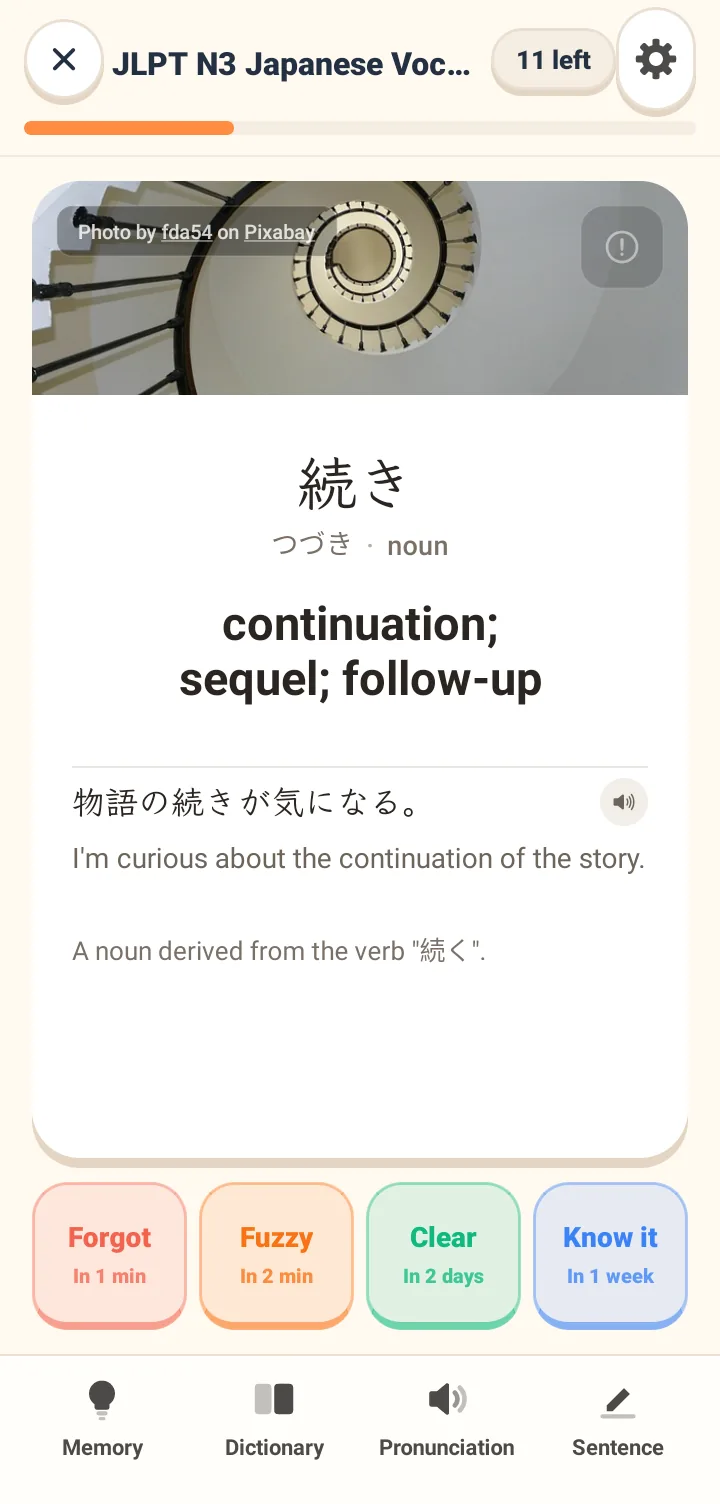
Meaning, sentences and audio on one card
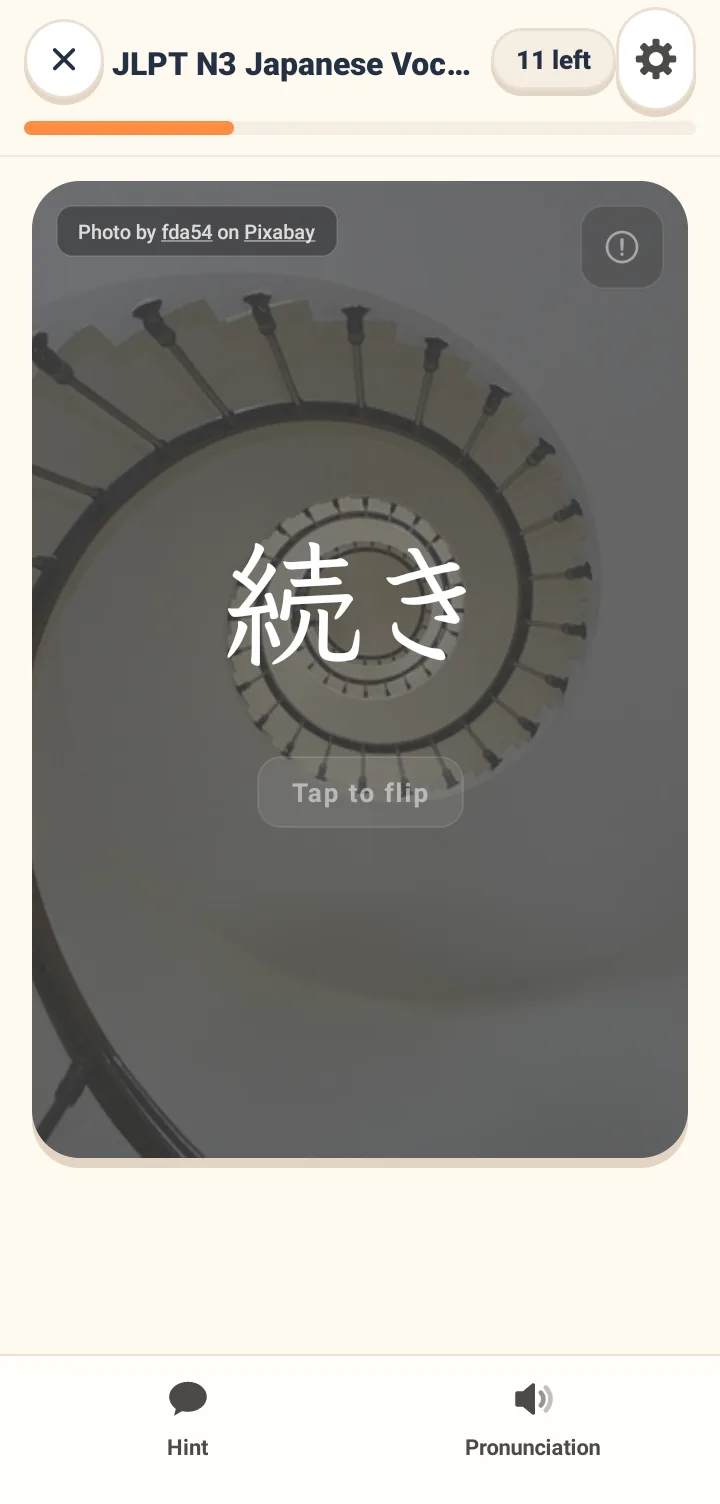
Every card carries a meaning, two example sentences, native audio and a scene image. Flip it, pick how well you knew it, and the next review time is printed on the button.
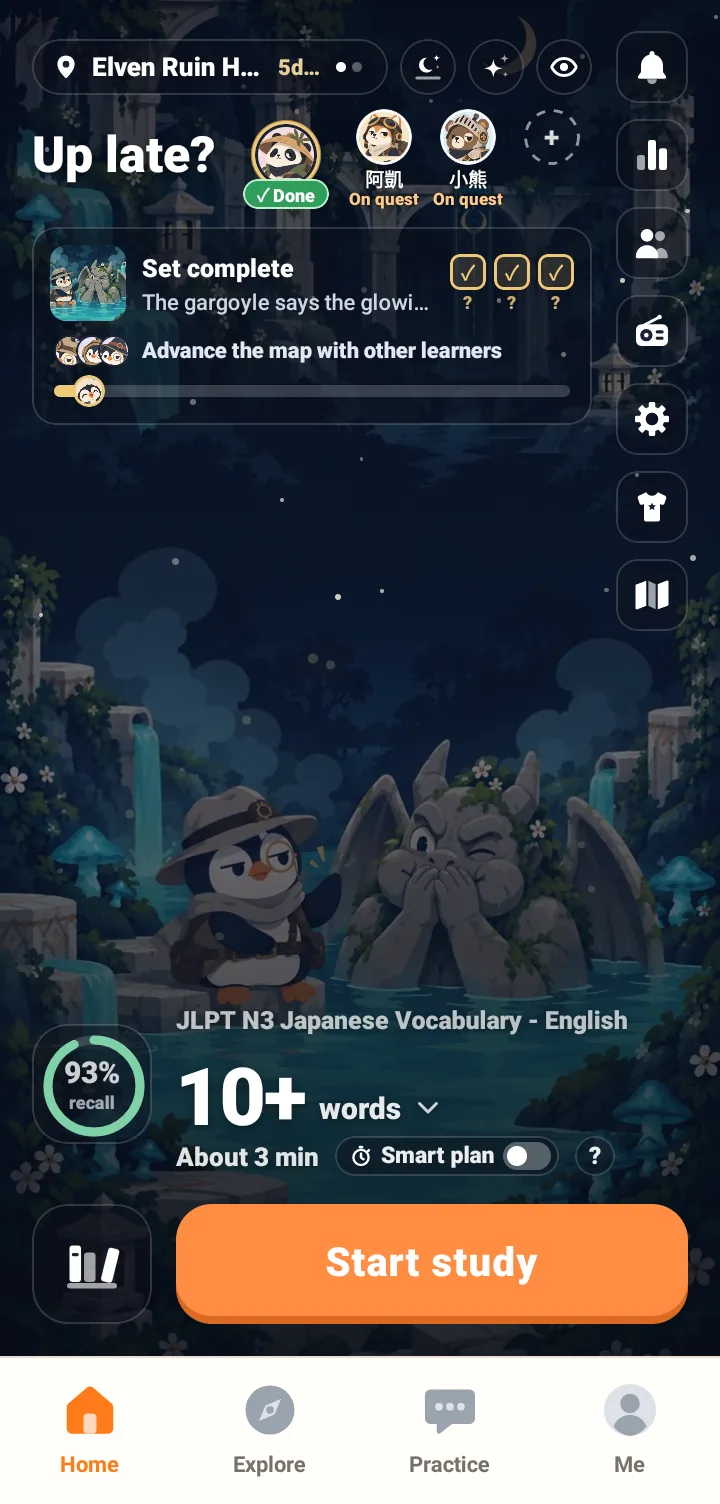
How much to study today, already worked out
Open the app and you know how many new cards and reviews are due and roughly how long it takes. No progress to plan, no batch left behind.
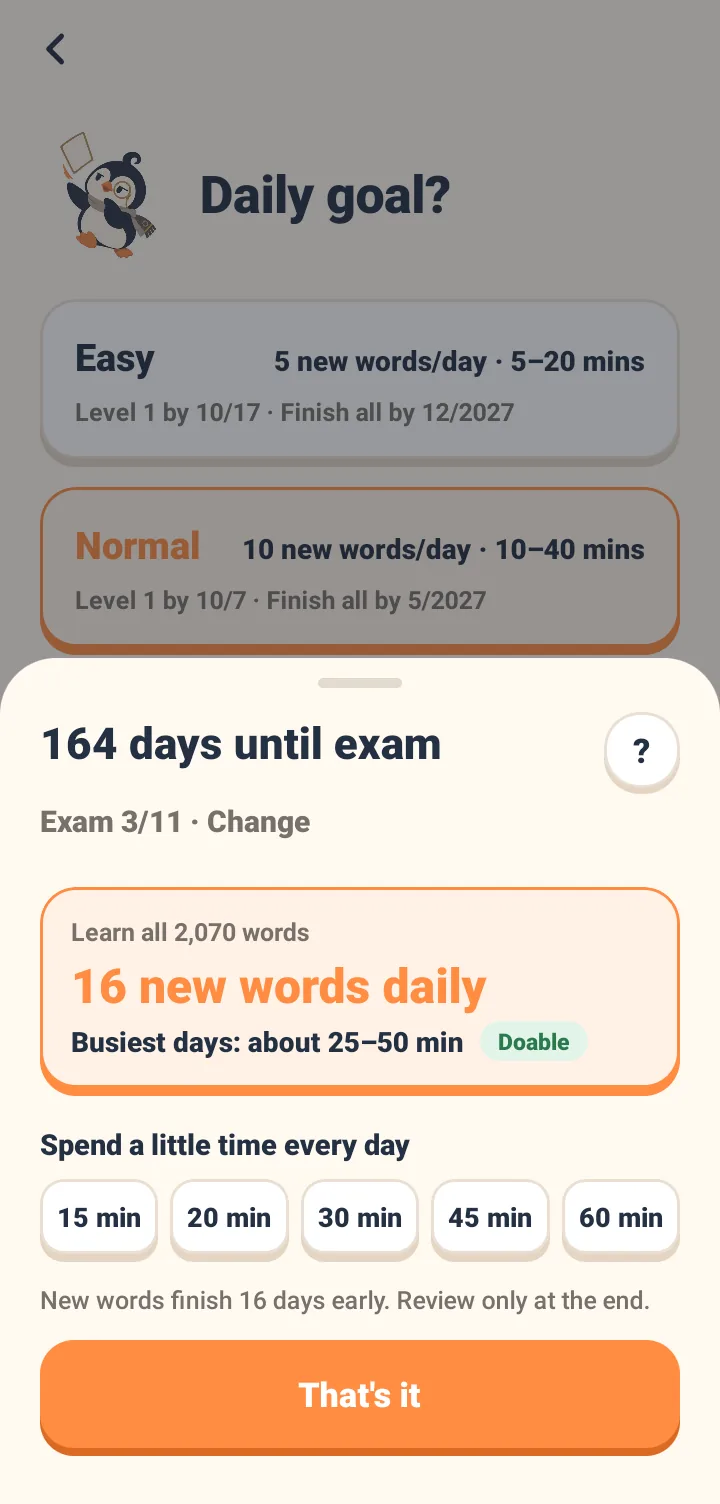
Set a date and let the app pace you
Enter your exam date, and the app calculates your daily workload and estimated study time to see if the pace is manageable. You can also set a fixed daily study time to see how many words you can learn before the exam, leaving the final days just for review.
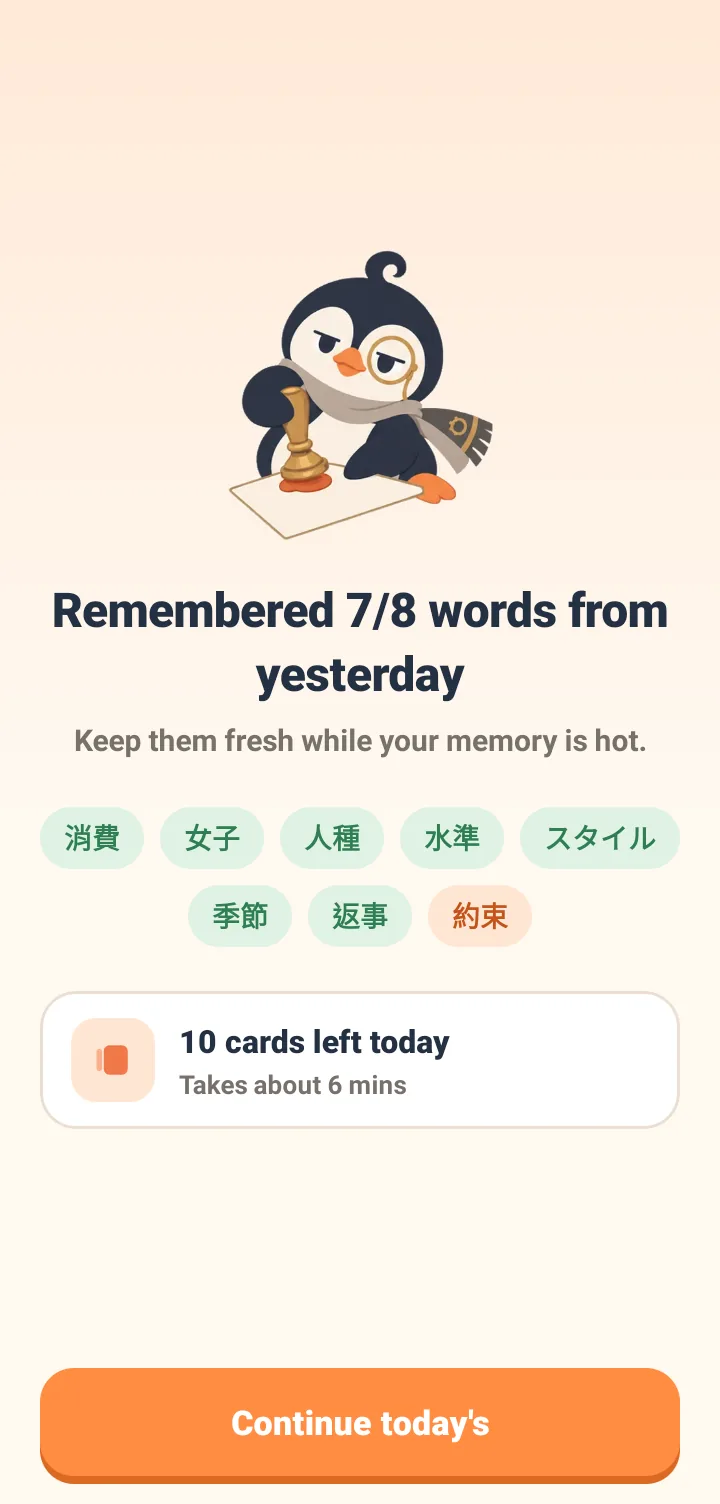
See proof that the words are actually sticking
On your second day, the app shows how many words you retained from day one. Every seven days, a weekly review tests words you haven't seen for a few days, giving you clear proof that they are staying in your memory.
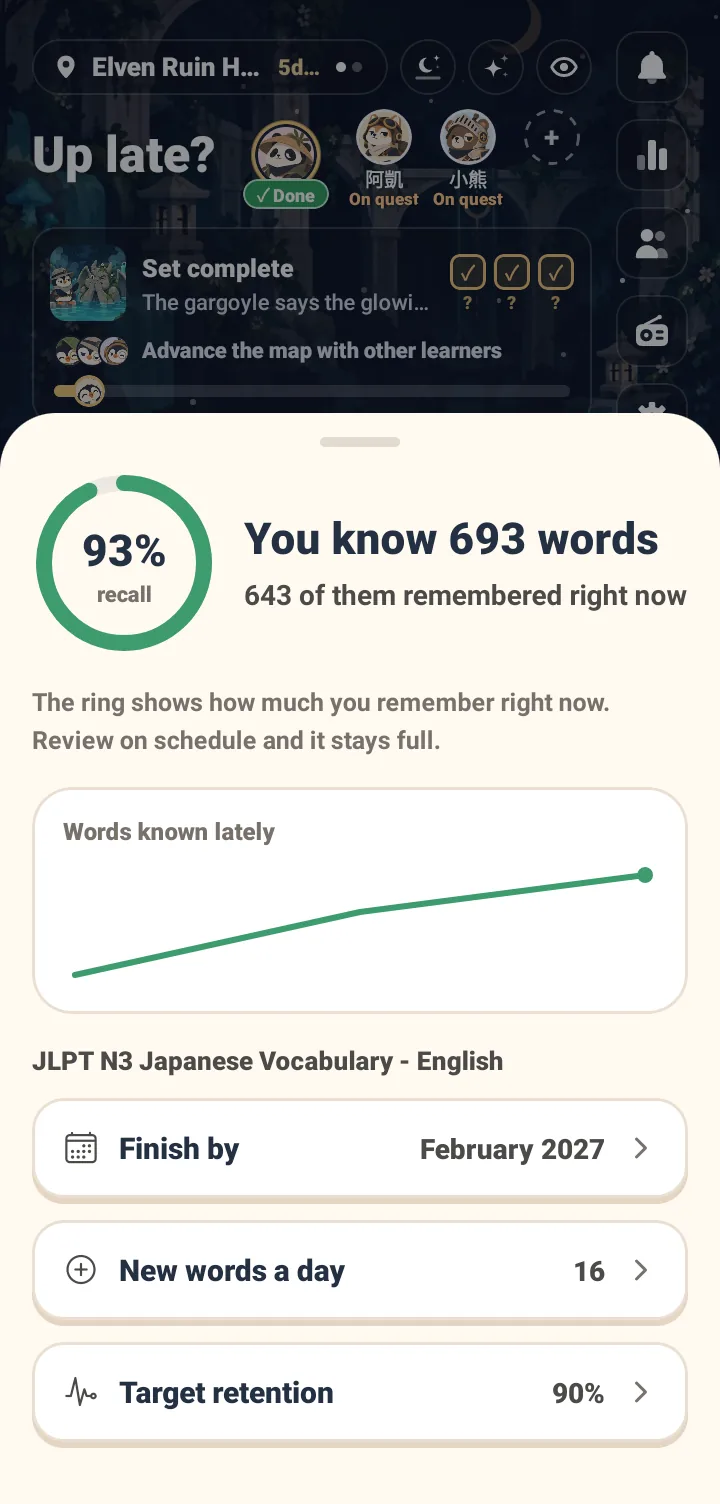
Know exactly how much you remember
The ring on the home screen shows your current memory retention. Tap it to see how many words you have learned, how many you still remember, and a curve of your recent progress. You can increase the target retention rate, and the app will adjust your reviews accordingly.
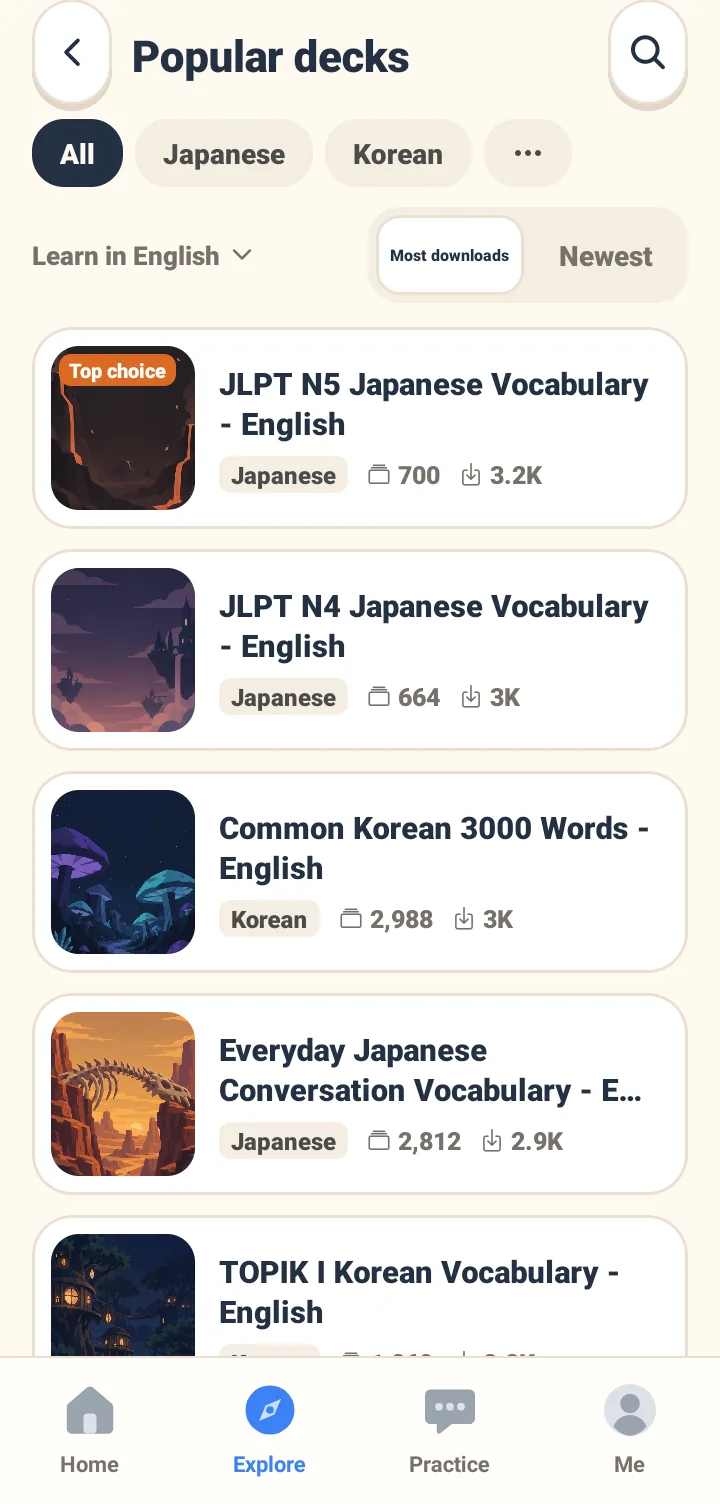
Exam and everyday word lists, all free
Public word lists cover exams, levels and daily situations. Each one shows how many people added it and how many words it holds, so you can judge it before adding it in one tap.
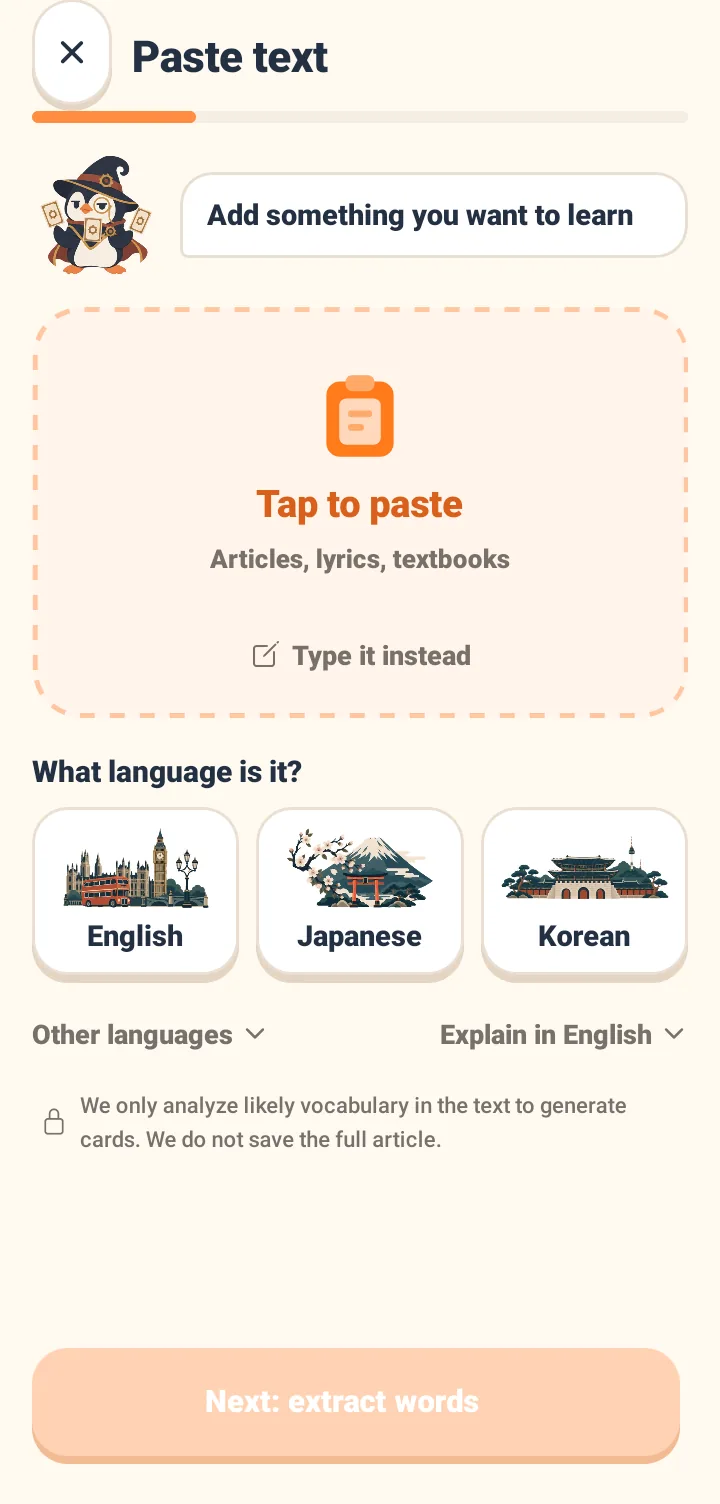
Articles, lyrics and screenshots become cards
Paste any text, or take a photo, and AI pulls out the words worth learning, adds meanings and sentences, and builds reviewable cards from material you chose.
Why reviewing just before you forget works
Spaced repetition places each review at the moment the memory is about to fade, and stretches the gap a little further every time — working against the forgetting curve to turn short-term memory into long-term memory. What it works against is the forgetting curve: a freshly learned word drops away quickly, but recalling it successfully at the edge of forgetting extends how long it lasts. Tomaru estimates each word’s memory strength from your answers, then decides whether the next review belongs in minutes, days or weeks.
- 01
Recall before you reveal
You only see the word or a cloze sentence. Failing to recall measures the memory just as well.
- 02
Report it on four levels
Flip the card and pick one — the next appearance is printed on the button.
- 03
The interval adjusts itself
Solid recall widens the gap; a miss shortens it. You never track dates yourself.
Each interval comes from that card’s current memory strength, and is recalculated on every answer.
Scheduling uses the open-source FSRS algorithm, which Anki also offers as a scheduling option.
Frequently asked questions
What is the most effective way to memorise vocabulary?
The best-evidenced method is spaced repetition combined with active recall: try to produce the answer before revealing it, and schedule each review for the moment you are about to forget, widening the gap each time. Rereading a list several times in one sitting is the least effective option; spreading reviews across days and forcing recall each time extends retention sharply. Tomaru is the vocabulary app that works that timing out for you.
How do I stop forgetting words?
It is not about how many times you repeat, it is about when. Reviewing while a word is still solid wastes the repetition; reviewing after it is gone means relearning it. The useful moment is when the word is nearly, but not quite, forgotten. Tomaru estimates memory strength from your answers and brings each word back at that point.
What is spaced repetition?
Spaced repetition is reviewing at the point of memory decay with progressively longer gaps, in order to work against the forgetting curve. Under the hood Tomaru uses the open-source FSRS algorithm — which Anki also offers as a scheduling option — to infer each card's difficulty and memory stability from your real review history and set the next due date. There are no parameters for you to tune.
Is Tomaru free, and are there ads?
Learning words and every public word list are free, with no ads. Paid plans add AI practice quota and advanced personalisation; they never lock the basic vocabulary features.
Can Tomaru replace Anki?
It suits people who want spaced-repetition review without configuring Anki. Tomaru keeps scheduling of the same grade and adds free word lists, AI card generation and follow-up grammar and speaking practice. If you need fully custom note types and the add-on ecosystem, Anki is still the better fit.
Which free word lists are included?
For English speakers: JLPT N5 to N1, TOPIK I and II, the 3,000 most common Korean words, everyday Japanese conversation, Japanese daily-life vocabulary and a hiragana/katakana list. Switching the interface language also opens TOEIC, TOEFL, IELTS, GRE, SAT, CEFR A1–C1, French, Spanish and German word lists.
Ten words today is enough
Pick a word list. Tomaru works out when each word comes back.